
AI Content Creation for LinkedIn: Complete Guide (2026)
AI content creation for LinkedIn means using artificial intelligence tools to research, draft, format, and publish LinkedIn posts that sound like you and perform in the feed. Done right, it cuts your writing time by hours per week without sacrificing authenticity. Done wrong, it produces the same robotic paragraphs everyone else is publishing.
This guide covers the real state of AI on LinkedIn in 2026, how to use AI without sounding like a press release, what voice matching actually means, and a workflow that takes you from a raw topic to a published post in under 15 minutes.
Table of Contents
- The State of AI Content on LinkedIn in 2026
- Why Most AI LinkedIn Posts Fail
- How to Use AI Without Sounding Robotic
- Voice Matching: What It Is and Why It Changes Everything
- A Real AI Content Creation Workflow for LinkedIn
- The Content Types That Work Best with AI
- Common Mistakes to Avoid
- How CannerAI Handles AI Content Creation for LinkedIn
- FAQs
The State of AI Content on LinkedIn in 2026
LinkedIn crossed one billion members in 2024. Content volume has exploded since. And a huge chunk of what fills the feed today was written, at least partially, by AI.
That sounds like a problem. And for a lot of creators, it is. Scroll through any professional feed and you will spot the same patterns: the same three-sentence opener with a dramatic line break, the same "Here's what I learned" structure, the same closing question that nobody answers.
But here is the thing. AI is not the problem. Bad AI usage is the problem.
The creators who are growing on LinkedIn in 2026 are not writing by hand and ignoring AI. They are using AI more strategically than everyone else. They use it for the parts of content creation that are genuinely tedious (research, formatting, structuring) and they stay in control of the parts that make a post worth reading (perspective, timing, specific experience).
Understanding that distinction is where good AI content creation on LinkedIn starts.
Why Most AI LinkedIn Posts Fail
Before getting into what works, it is worth being specific about what does not.
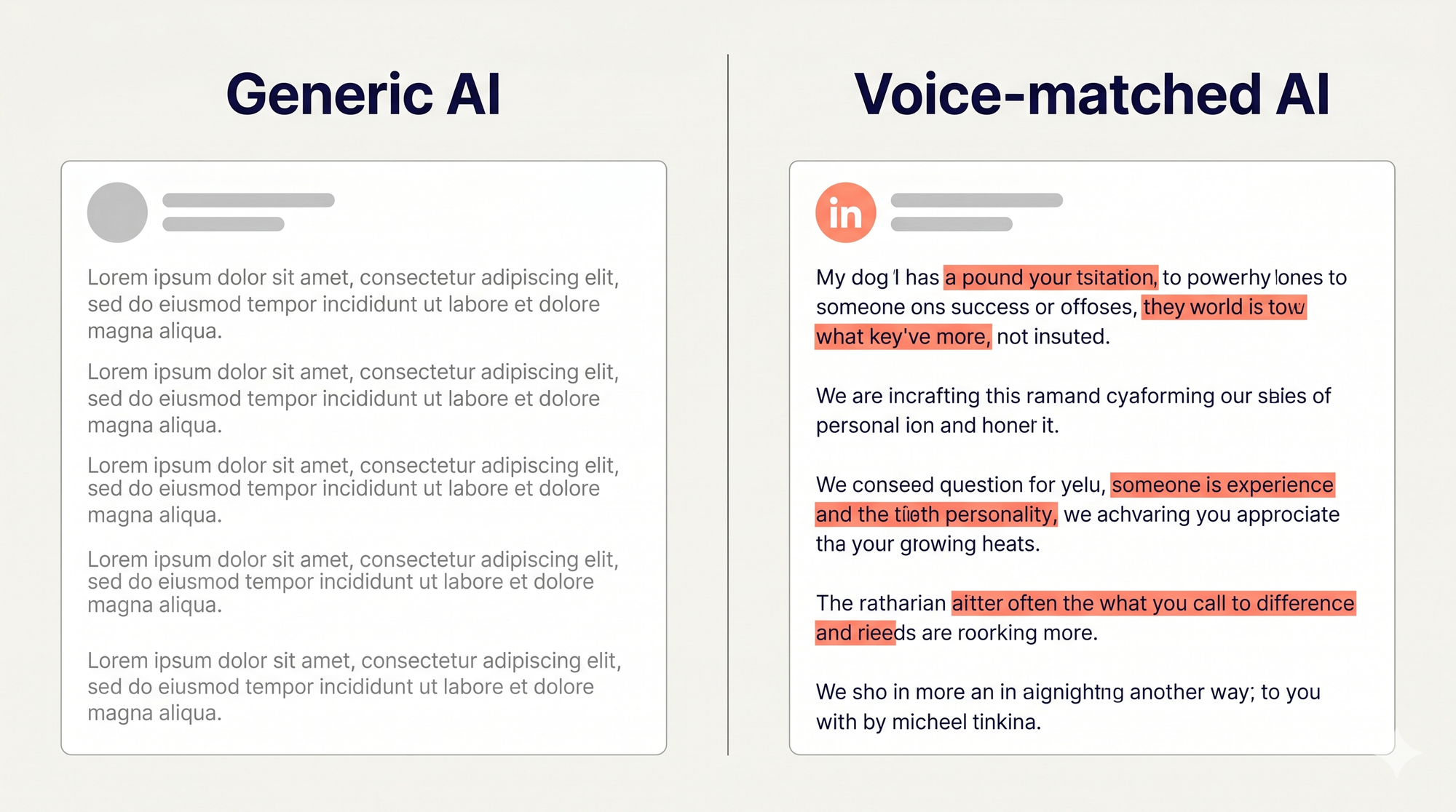
The problem is not that AI writes the post. The problem is that the output has no memory.
When you open ChatGPT and type "write me a LinkedIn post about cloud architecture," you get something grammatically fine. It might even be technically accurate. But it has no context about you. It does not know that you spent three years at a startup that failed to migrate to Kubernetes on time. It does not know your audience skews toward senior engineers who have heard the basics a thousand times. It does not know your tone is direct and dry, not motivational.
That is why the output sounds like a press release with line breaks.
The second failure mode is no research. Generic AI tools start from what they already know, which means every post is essentially an average of the internet. That is the opposite of thought leadership. Your audience can smell it in the first sentence.
Third: no iteration loop. Most people take the first draft, tweak two words, and publish. Real AI content creation involves a tighter loop between your perspective and the AI's structure.
How to Use AI Without Sounding Robotic
There are five principles that separate posts people actually read from posts that scroll into oblivion.
1. Start with your own insight, not a blank prompt
AI is a writing partner, not a ghostwriter. Before you ask it to write anything, write one sentence in your own words about what you actually think or experienced. That sentence is the brief. Feed it to the AI, not the other way around.
Instead of: "Write me a post about LinkedIn engagement tips." Try: "I noticed that my posts with a specific number in the first line get 3x more comments than anything else. Write a LinkedIn post about that observation."
The difference in output quality is significant.
2. Give the AI something to research
The best AI linkedin post generators work from source material, not from general knowledge. Drop in a URL, a transcript, a study, a job description, a product announcement. Something with specific facts and angles. The AI extracts insights and builds around them. That is how you get posts with real information in them.
3. Edit the first sentence aggressively
AI openers are almost always soft. They set up context before making a point. Human writers make the point first, then explain. Rewrite the first sentence of every AI draft before you read the rest of it. The rest usually improves automatically because you have set a sharper tone.
4. Add one specific detail that only you could know
Take any AI draft and add one sentence that contains a number, a name, a date, or a situation from your direct experience. That sentence is what makes the post yours. It is what makes someone stop scrolling.
5. Remove the summary
AI has a habit of ending posts with a version of what it just said. "In summary, AI is changing the way we work" after 300 words about AI changing the way we work is redundant. Delete it. End on your strongest line.
Voice Matching: What It Is and Why It Changes Everything
Voice matching is the difference between AI that sounds like a template and AI that sounds like you.
At its most basic, voice matching means the AI has learned how you write. Your sentence length. Your vocabulary range. Whether you use rhetorical questions or avoid them. Whether your posts typically start with data or with a story. How often you use humour. Whether you write in first person constantly or shift perspective.
This is not magic. It is pattern recognition applied to your past content. But when it works, the output needs far less editing because it already sounds like a draft you wrote on a good day, not a draft you would never write.
Most AI tools have no voice matching at all. You start from zero every time you open a new chat window. The tool knows nothing about what you published last week.
The tools that do offer voice matching often treat it as a one-time setup: answer five questions, pick a tone, done. That kind of static voice profile degrades quickly because people write differently across topics, times, and career stages.
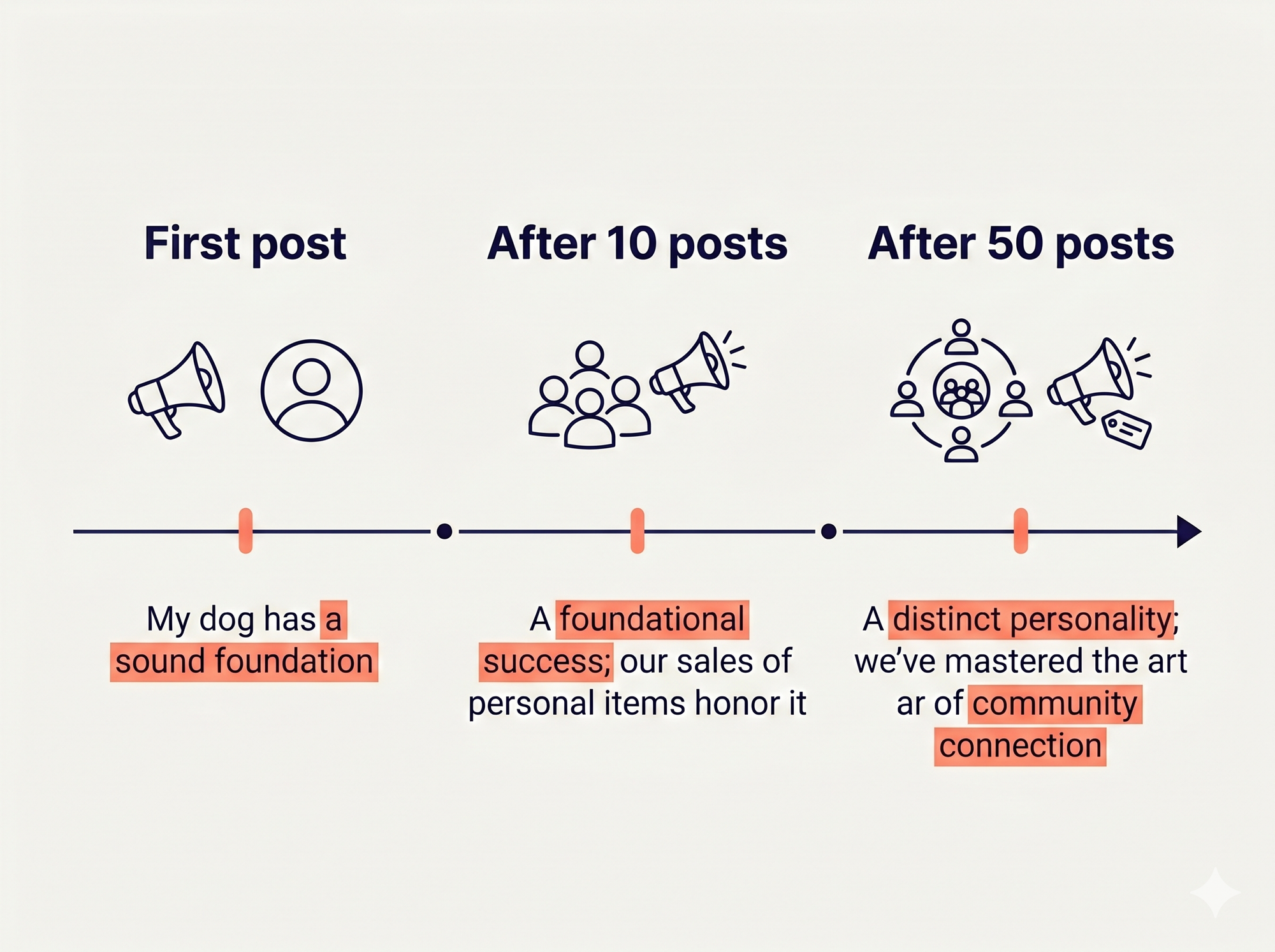
Real voice matching is continuous. The more you create, edit, and publish, the sharper the model's understanding of how you communicate. Over time, the gap between first draft and publish-ready narrows.
For LinkedIn specifically, this matters more than on almost any other platform. LinkedIn rewards consistency. Creators who show up regularly with a recognisable voice build audiences faster than those who post sporadically with variable tone. AI makes consistent output possible. Voice matching makes consistent output sound human.
A Real AI Content Creation Workflow for LinkedIn
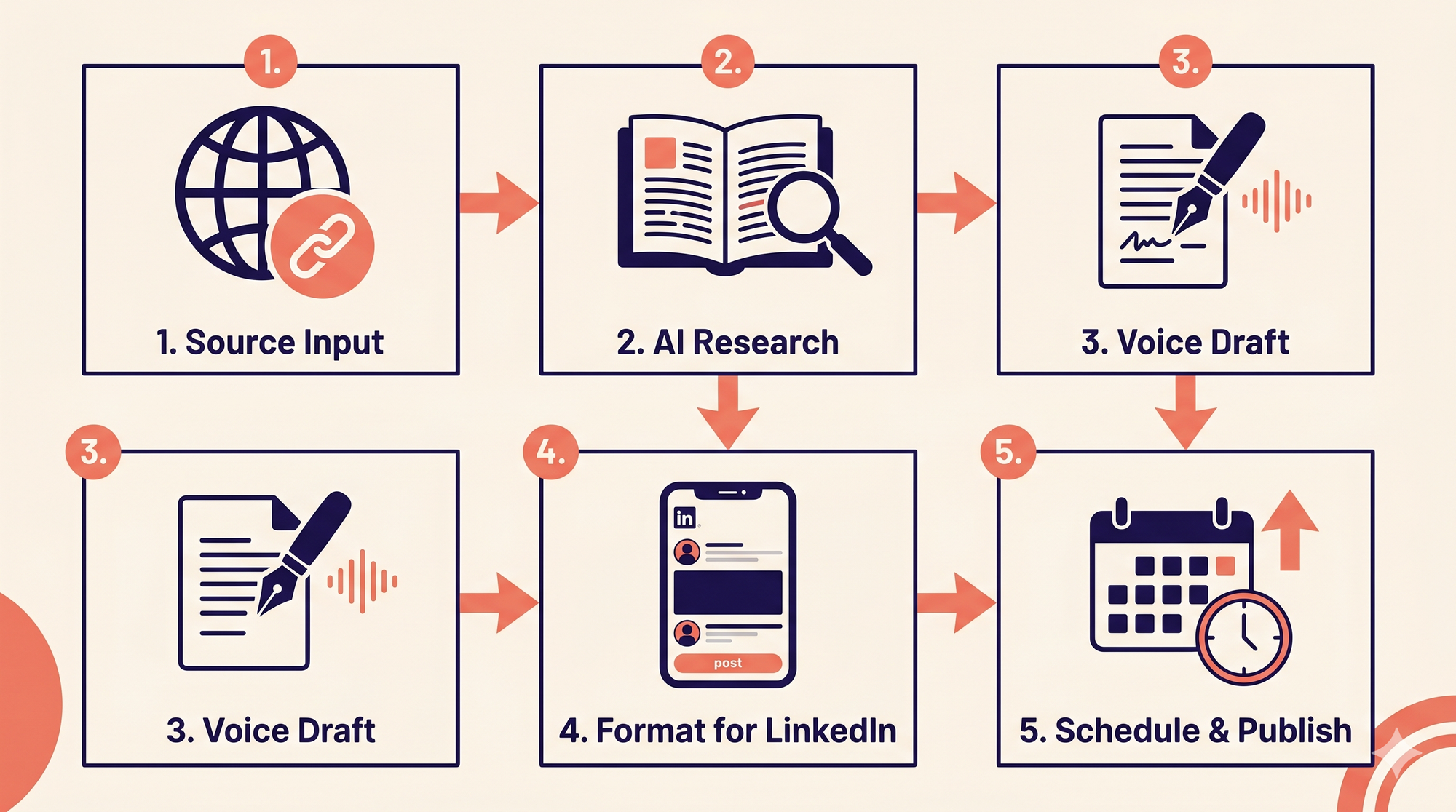
Here is a concrete workflow used by creators who post consistently on LinkedIn without spending hours on it every week.
Step 1: Capture the source material
Every good post starts with something real. This might be a YouTube video you watched, a blog post you found useful, a product launch, a stat from a report, or a conversation you had.
The worst workflow is to open an AI tool and ask it to invent a topic. The best workflow is to feed it real source material and ask it to help you say something about it.
Step 2: Research and extraction
Drop the URL into a tool that will read it for you. You want to extract: the key argument or insight, one concrete number or example, and the implication for your specific audience.
This step alone saves 20 to 30 minutes because you are not reading and taking notes manually.
Step 3: Draft in your voice
With the insights extracted, generate a first draft. If the tool has voice matching, it will use your existing writing patterns. If not, you are starting from a generic template.
Expect to spend 5 minutes editing regardless. The goal is not a zero-edit draft. The goal is a draft that is 80% there and needs specific additions (your experience, your opinion) rather than a complete rewrite.
Step 4: Format for LinkedIn
LinkedIn does not support native bold or italic. The posts that read cleanly in the feed use Unicode formatting. Add a hook in the first line, break paragraphs at 2 to 3 sentences, and add formatting where it aids scanning.
Step 5: Schedule or publish
Post at a time when your audience is active. For most professional niches, Tuesday through Thursday mornings between 8 and 10 AM in your audience's timezone outperforms other windows. Smart scheduling tools will handle this automatically based on your specific engagement data.
Total time from source material to scheduled post: 10 to 20 minutes if your workflow is tight.
The Content Types That Work Best with AI
Not all LinkedIn formats benefit equally from AI assistance. Here is where the leverage is highest.
Insight posts from external content: You watched a video, read a study, attended a webinar. AI reads it for you, extracts the key points, and drafts a post that adds your perspective. This is the highest-leverage use of AI on LinkedIn.
Carousel posts: LinkedIn carousels perform well because they are skimmable and get saves. But they are time-consuming to create from scratch. AI can generate the slide content (headline, body, source) for each card from a single topic brief.
Reaction posts: Something happened in your industry. You have an opinion. AI helps you structure the argument without losing your voice.
Commentary on your own content: You wrote a long-form article or posted a video. AI helps you repurpose the key ideas into multiple standalone posts without them sounding like trailers.
Templates and series: If you post a consistent format every week (a lessons-learned post, a tool breakdown, a hiring update), AI maintains the template and lets you focus on the content rather than the structure.
Common Mistakes to Avoid
Using the same AI tool for everything: General-purpose AI is not optimised for social content. A tool built for LinkedIn understands the feed format, post length norms, and the fact that LinkedIn's algorithm rewards early engagement.
Skipping the research step: If the AI does not start from real source material, it generates averages. Average content does not build an audience.
Publishing the first draft: AI first drafts are a starting point. They are usually grammatically correct but missing your specific point of view. Always add one sentence that only you could write before publishing.
Over-formatting: Not everything needs bullet points and bold headers. Conversational posts in plain text often outperform heavily formatted posts because they feel more genuine.
Ignoring the opener: The first two lines determine whether someone expands the post or scrolls past it. Spend as much time on the first line as you do on the rest of the post combined.
Posting without a schedule: Consistency matters more than quality on LinkedIn in the short term. One post a week, published regularly, beats three posts in a burst followed by silence for a month.
How CannerAI Handles AI Content Creation for LinkedIn
Most tools address one or two steps in the workflow above. CannerAI is built around the whole thing.
The core difference is the research-to-post pipeline. You drop in a URL or a topic. CannerAI reads it, extracts the key insights, and drafts a post in your voice. No copy-pasting into ChatGPT. No reformatting in Notion. The research and the writing happen in the same workspace.
The voice matching is continuous, not a one-time setup. CannerAI learns from every post you create and edit. The more you use it, the more the drafts sound like you from the first output.
Connect any YouTube channel. When a new video publishes, CannerAI auto-drafts posts in your style. You review, approve, and publish without touching a blank page.
See how CannerAI's content creation worksA few specific features worth knowing:
Context Vault stores your notes, research, and inspiration in a searchable library inside the workspace. Individual plan: 20 items. Creator plan: 300 items. This solves the "where did I put that article" problem that kills momentum.
LinkedIn Post Formatter applies Unicode bold and italic directly inside CannerAI. LinkedIn does not support native formatting, so this is one less reason to bounce to a third-party tool.
Smart Scheduling handles timing so you do not have to think about it. Individual plan includes 30 queued posts. Creator plan is unlimited.
Carousels generate multi-slide LinkedIn carousel posts from a single brief. Available on the Creator plan.
The browser extension sits inside LinkedIn and X directly. Saved replies, hooks, and templates insert with one click. No tab switching.
If you want to compare how this stacks up against other tools, CannerAI vs Taplio and CannerAI vs Supergrow go deeper on specific feature differences.
FAQs
What is AI content creation for LinkedIn?
AI content creation for LinkedIn means using artificial intelligence to help you research topics, draft posts, match your writing voice, and publish consistently on LinkedIn. The best AI tools do more than generate text. They research your source material, learn your tone, and format output for the LinkedIn feed. The goal is to help you post more frequently in less time without sacrificing the authenticity that grows an audience.
Does LinkedIn penalise AI-generated content?
LinkedIn has not penalised AI-generated content in its algorithm as of 2026. What the algorithm does reward is engagement: comments, saves, and shares in the first hour. Posts that sound robotic and generic tend to get ignored, which hurts performance through the engagement signal, not through any AI detection. The practical answer is that voice-matched, research-grounded AI posts perform the same as human-written posts because they are harder to distinguish from them.
What is the best AI tool for LinkedIn post creation?
The best AI linkedin post generator depends on your workflow. If you want a tool built specifically for LinkedIn content from research to publishing, CannerAI combines URL-based research, voice matching, LinkedIn formatting, scheduling, and direct publishing in one workspace. If you already have a research workflow and just need drafting help, general-purpose tools can work but require more manual setup for each post.
How do I make AI-generated LinkedIn posts sound more human?
Four steps that consistently improve AI draft quality: add one specific detail from your direct experience (a number, a name, a situation), rewrite the first sentence to open with your strongest point instead of setting up context, delete the closing summary, and vary sentence length throughout. Short sentences are more powerful than AI tends to assume.
Can AI help me post consistently on LinkedIn?
Yes, and consistency is one of the biggest advantages AI offers for LinkedIn creators. Most people post in bursts and then stop because the creative work feels too heavy on a regular basis. AI shortens the time from idea to published post from 45 minutes to 10 to 15 minutes. That makes a regular posting schedule sustainable. Scheduling tools built into AI workspaces handle timing, so you can batch-create a week of content in one sitting.
What is voice matching in AI content tools?
Voice matching is a feature that lets an AI tool learn your specific writing style over time. It analyses your past posts, edits, and preferences to understand your vocabulary range, sentence rhythm, tone, and structural patterns. When it generates new content, it produces drafts that sound more like you than like generic AI. The best implementations are continuous rather than one-time, meaning they improve the more you use them.
How many LinkedIn posts can I schedule with AI tools?
It depends on the plan. With CannerAI's Individual plan at $19.99 per month, you can queue 30 scheduled posts at a time. The Creator plan at $49.99 per month offers unlimited scheduled posts along with 120+ post templates, carousels, and 30 Connector automations per month. Both plans come with free trials, no credit card required during the trial period.



Member discussion