13 Best AI Tools for LinkedIn in 2026 (Tested & Compared)

There are more LinkedIn AI tools on the market right now than any one person needs to try. Free Chrome extensions, enterprise platforms at $200 a month, and everything in between. The hard part was never finding a tool. It's figuring out which ones actually help and which ones will quietly get your account flagged.
That second part gets skipped in most reviews. A good number of well known linkedin automation tools include features that sit directly against LinkedIn's Terms of Service: automated engagement, data scraping, auto DMs. They look great in the marketing copy right up until LinkedIn's detection catches up and your post reach drops to almost nothing. Some accounts never fully recover.
Below are 13 tools, tested side by side, with honest notes on pricing, what each one does well, and which features put your account at risk.
How we tested
We evaluated each tool on real LinkedIn posts over several weeks, scoring four things that matter most: how closely the AI matched a real writing voice, account-safety/compliance (official API vs cookie-based access), feature depth for the price, and how much editing the output needed before publishing. Pricing was verified against each tool's live pricing page in July 2026. We update this guide as tools change.
Last updated July 2026: refreshed pricing, compliance status, feature limits, and the comparison table with the newest CannerAI plan structure.
Table of contents
- LinkedIn's rules on automation tools, read this first
- Quick comparison table
- 1. CannerAI: best for voice-matched content and AI image generation
- 2. Taplio: best for data-driven LinkedIn growth
- 3. Supergrow: best all-in-one for solo creators
- 4. AuthoredUp: best LinkedIn writing editor
- 5. Kleo: best for style training and image generation
- 6. MagicPost: best for content repurposing
- 7. Buffer: best budget LinkedIn scheduling tool
- 8. Copy.ai: best general purpose AI writer
- 9. Hootsuite: best enterprise social management
- 10. Sprout Social: best for analytics and social listening
- 11. Opus Clip: best for turning video into LinkedIn clips
- 12. Descript: best for editing LinkedIn video by editing text
- 13. Engage AI: best for LinkedIn comments and engagement
- Which tool should you pick
- Best LinkedIn AI tool by use case
- FAQs
LinkedIn's rules on automation tools, read this first
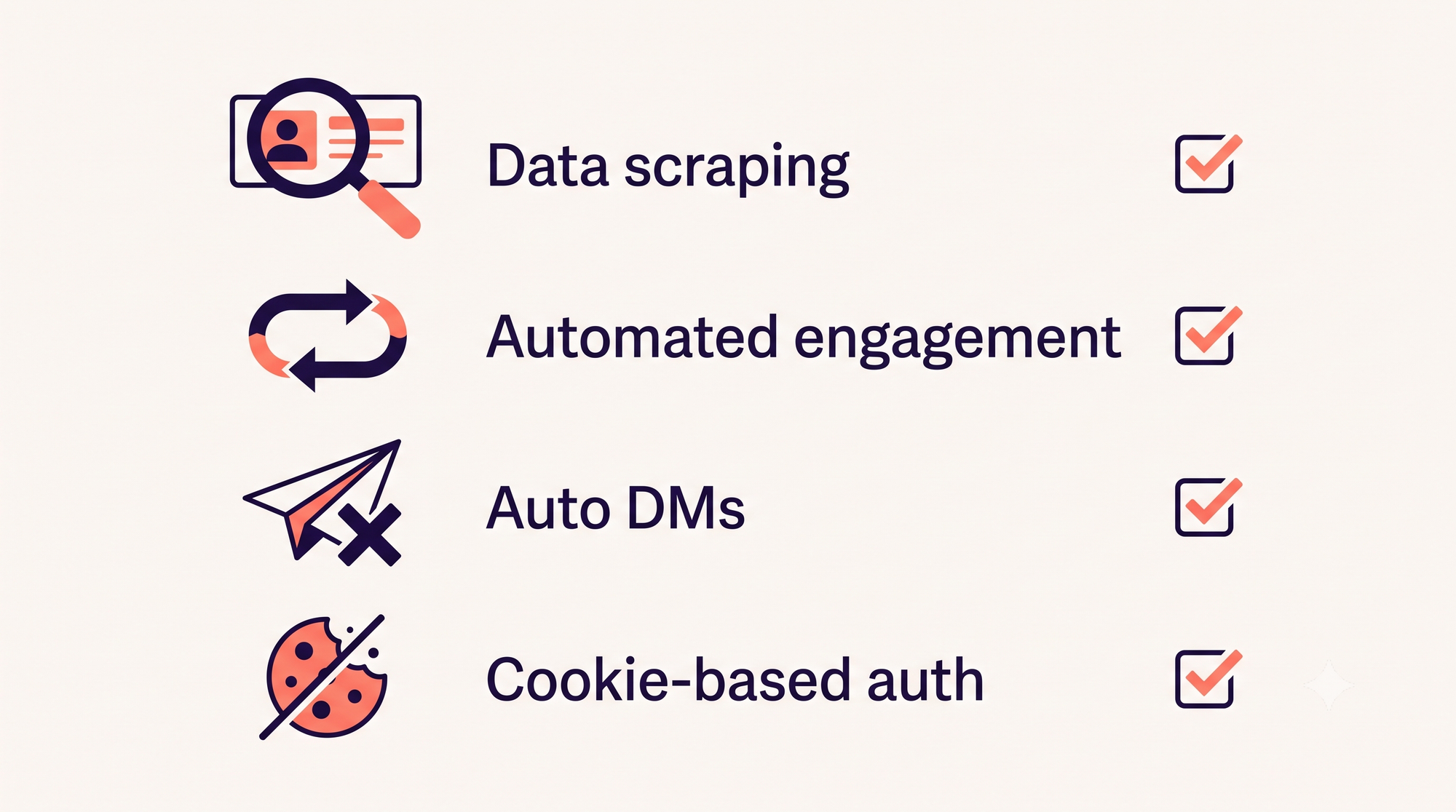
Before getting into specific tools, here's what LinkedIn explicitly prohibits. Several tools below include features that fall directly into these categories.
Data scraping means using software to systematically pull profile data (names, job titles, emails, company info) from LinkedIn. This includes chrome extension tools that crawl profiles quietly in the background while you browse.
Automated engagement covers bots that auto like, auto comment, or auto react on your behalf. LinkedIn's behavioral detection has become noticeably more aggressive since 2024. Accounts using automation for engagement often see reach restrictions before they get any warning from LinkedIn directly.
Auto DMs and auto connection requests sent through automated outreach tools get flagged. LinkedIn caps free accounts at roughly 100 connection requests per week and actively monitors for automated patterns, even ones using random delays to look human.
Cookie based authentication is when a browser extension uses your active LinkedIn session cookies to perform actions without you initiating them. LinkedIn has specifically called this out in its Terms of Service updates.
In March 2025, LinkedIn removed a batch of tools that relied on scraping and unauthorized data access, including Apollo.io and Seamless.ai. Kleo's original Chrome extension received a cease and desist over automated commenting features and had to shut down and rebuild from scratch. The direction is clear: tools that touch LinkedIn's platform directly through browser extensions and cookie sessions keep running into trouble. Each review below includes a compliance note so you know exactly what you're signing up for.
Quick comparison table
| Tool | Price from | AI writing | Voice learning | AI image gen | Scheduling | Multi-platform | LinkedIn compliant |
|---|---|---|---|---|---|---|---|
| CannerAI | $19.99/mo | Yes | Advanced | 20/mo | Yes | LinkedIn + X | Yes |
| Taplio | $39/mo | Yes | Basic | Limited | Yes | No | Caution |
| Supergrow | $19/mo | Yes | Basic | No | Yes | No | Caution |
| AuthoredUp | $19.95/mo | No | No | No | No | No | Yes |
| Kleo | $99/mo | Yes | Advanced | 20/mo | Yes | No | Yes (rebuilt) |
| MagicPost | $27/mo | Yes | Basic | No | Yes | No | Yes |
| Buffer | Free / $5/mo | No | No | No | Yes | 8+ | Yes |
| Copy.ai | Free / $49/mo | Yes | No | No | No | All | Yes |
| Hootsuite | Rs.1999/mo | Basic | No | Yes | Yes | All major | Yes |
| Sprout Social | $199/mo | Basic | No | Yes | Yes | All major | Yes |
| Opus Clip | Free / $15/mo | No | No | No (video) | Pro tier | Multi (export) | Yes |
| Descript | Free / $24/mo | No | No | No | No | Export only | Yes |
| Engage AI | Free / ~$13/mo | Comments only | No | No | No | Yes (manual review) |
Pricing verified against each vendor's live pricing page and independent 2026 comparison sources as of July 2026. CannerAI's beta pricing period has ended; the figures above reflect its current published plans.
Image posts consistently outperform text only content on LinkedIn, so if generating visuals inside your writing tool matters, CannerAI and Kleo are the two sub-$80 options with built in AI image generation. CannerAI includes 20 images a month on Individual and 30 a month on Creator, with unlimited on the Teams plan. Kleo caps at 20 graphics a month on its single plan. The price gap is wide: CannerAI Creator at $49.99 a month versus Kleo at $99 a month. For enterprise budgets, Hootsuite and Sprout Social bundle image generation into much larger feature sets.
1. CannerAI: best for voice-matched content and AI image generation
Most LinkedIn AI tools treat voice matching as a checkbox feature. CannerAI is built around the opposite idea. The tool learns a creator's specific writing voice through a Context Vault and Brand Voice system, where you store ideas, frameworks, talking points, and past content. Personalized Memory means the AI gets incrementally better the more you use it, tracking preferences and patterns instead of starting fresh every session.
It also works across LinkedIn and X from one dashboard. If you post to both platforms regularly, not switching tools or reformatting content for each one saves real time every week.
CannerAI generates image variations that attach directly to a LinkedIn or X post, and the prompt is auto-generated from the draft itself, so there's no prompt writing involved on your end.
The carousel builder is live now, with up to 20 pages a month on Individual, 30 on Creator, and unlimited on Teams. The Context Vault holds 20 items on Individual and 300 on Creator, brand frameworks, voice notes, recurring themes, whatever the AI should pull from. YouTube-to-Post automation covers 10 generations a month on Individual and 30 on Creator, publishing through official OAuth rather than any browser workaround.
Pricing: Individual $19.99/month with a 7 day free trial, Creator $49.99/month with a 15 day free trial, Teams $99/month for multi-brand workspaces and shared templates.
Pros: Advanced voice learning with AI memory, generous Context Vault for brand knowledge storage, works across LinkedIn and X, lowest entry price on this list for a tool with real voice matching, built in carousels and image generation on every paid plan, official OAuth publishing with no browser hacks.
Cons: Newer tool (launched in 2026), smaller user community so far compared to established competitors, advanced hook generator with viral score predictions still rolling out, Teams plan is newer and has less track record than the Individual and Creator tiers.
Compliance note: CannerAI was built to be LinkedIn compliant from day one. No data scraping, no automated engagement, no auto DMs, no auto connection requests, no cookie based authentication, no browser extension that modifies the platform interface. Content is generated inside the app and posted through LinkedIn's and X's official APIs.
Best for: Creators who want output that sounds like them instead of AI-shaped placeholder text, and anyone posting on both LinkedIn and X who wants a tool that won't risk their account.
For more on how this stacks up feature by feature, see CannerAI vs Taplio (2026): Which LinkedIn Tool Is Right for You?.
2. Taplio: best for data-driven LinkedIn growth
Taplio has been the default recommendation in the LinkedIn creator space for a few years, and the training data is a big reason why: 500 million LinkedIn posts, giving the AI a stronger sense of what performs on the platform than most general purpose writers. The viral post library lets you browse high performing posts by topic or industry and use them as reference. The carousel creator turns blog posts or YouTube videos into LinkedIn carousels quickly, with decent quality.
For salespeople, the lead database (3 million plus enriched contacts) is a genuine differentiator. Taplio has also worked on image generation from post content, though availability has been inconsistent across plans, so carousels remain the main visual tool. The analytics dashboard is detailed enough to show what's working at both the post and account level.
One thing worth knowing upfront: the $39 a month Starter plan doesn't include AI writing at all. The Standard plan at $65 a month is where the full AI features live. The gap between the advertised entry price and what people actually pay for AI features is a recurring complaint.
Pricing: $39/month Starter (no AI writing), $65/month Standard (AI included). Annual billing saves roughly 30%.
Pros: Largest LinkedIn training dataset of any tool here, strong analytics, carousel creator, lead database with 3 million plus contacts.
Cons: Entry price is misleading since AI writing needs the $65 tier. LinkedIn only. Output can feel templated without customization.
Compliance note: Taplio's Chrome extension and cookie based session handling sit in the category LinkedIn has flagged in its Terms of Service. The lead database and profile analytics involve data collection methods that live in a gray zone under LinkedIn's rules. If you lean on any automated outreach or engagement features specifically, you're accepting real account risk.
Best for: LinkedIn focused creators and salespeople who want data backed content suggestions and are willing to accept the compliance trade-offs.
3. Supergrow: best all-in-one for solo creators
Supergrow packs more into its lower tiers than most tools at twice the price. The $19 a month Starter plan includes AI writing, carousel creation, a post scheduler, and an engagement dashboard. Pro at $29 a month unlocks unlimited posts and the full carousel maker.
The AI writing adapts to your tone over time instead of running generic prompts. Content repurposing works well too: paste a blog URL or YouTube link and it generates multiple post variations. There's no AI image generation, but the carousel templates cover visual content adequately for most creators.
Pricing: Starter $19/month, Pro $29/month, Agency $49/month.
Pros: Strong value for the price, clean interface, custom writing style, solid carousels, team collaboration on higher tiers.
Cons: Carousel and engagement tools sit behind Pro. Analytics are less detailed than Taplio's. No AI image generation.
Compliance note: Supergrow includes an in-app engagement feature for liking and commenting without leaving the platform. The company says it doesn't automate LinkedIn actions directly, but the multi-comment feature and cookie based session handling raise flags, and some users report account warnings after heavy engagement feature use. The core writing and scheduling tools are fine.
Best for: Solo creators and small teams who want AI writing, a post planner, and carousels without paying enterprise prices.
4. AuthoredUp: best LinkedIn writing editor
AuthoredUp isn't an AI content generator and doesn't pretend to be. It's a writing and formatting tool, and it does that job better than anything else on this list.
As a Chrome extension, it lives inside LinkedIn's native editor and adds proper formatting controls (bold, italic, emoji), a real time post preview showing how content renders on mobile and desktop, readability scoring, and a hook library with tested opening lines. Its analytics view shows what's actually performing without burying the data in dashboards.
There's no AI writing, no scheduling, no image generation. You write the content, or use another tool for drafts, and use AuthoredUp to polish and format. It's the editing layer on top of whatever workflow you already have, which is exactly the right scope for it.
Pricing: $19.95/month for individuals. Business plan at $14.95 per user per month (minimum 3 users). 14 day free trial.
Pros: Best text editor for LinkedIn, accurate post preview, readability scoring, clean analytics, lightweight extension.
Cons: No AI writing, no scheduling, no image generation. Needs to be paired with another tool for a complete workflow. LinkedIn only.
Compliance note: A writing tool only, no automated LinkedIn actions, no data scraping, no cookie based authentication for automation. One of the safest tools on this list.
Best for: People who prefer writing their own content but want better formatting, previewing, and analytics built into their workflow.
5. Kleo: best for style training and image generation
Kleo had a rough 2025. The original Chrome extension received a cease and desist from LinkedIn over automated commenting features that violated LinkedIn's Terms of Service, and had to shut down completely. Kleo 3.0 is a rebuilt product, a pure AI content platform that operates as a standalone web app instead of touching LinkedIn's interface directly.
The voice training is one of the stronger implementations here. Feed it your existing posts and it builds a knowledge base and writing style profile. The output lands noticeably closer to your natural voice than a generic AI writer cold prompted in ChatGPT. There are also 170 plus post examples and 200 plus hook templates for reference, plus live group coaching sessions included in the price.
Kleo is one of the few tools under $100 a month with AI image generation built in: 20 graphics a month, included in the single plan at no extra cost. For visual LinkedIn content, that's a real point of difference.
Pricing: Single plan at $99/month.
Pros: Good voice training, large template library, 20 AI graphics per month, live coaching, simple all-inclusive pricing.
Cons: $99 a month is expensive for solo creators. LinkedIn only. The brand still carries the history of the original banned extension.
Compliance note: Kleo 3.0 is a clean content generation tool that doesn't interact with LinkedIn's platform directly anymore. The original Kleo was hit with a cease and desist over automated engagement, so that history is worth knowing going in even though the rebuilt product appears compliant.
Best for: Creators who want AI that learns their style, value community coaching, and prefer a clean, simple pricing structure.
6. MagicPost: best for content repurposing
If you already produce content elsewhere, YouTube videos, blog posts, podcast episodes, MagicPost does the best job of turning that into LinkedIn posts. Paste a URL (supports videos up to 45 minutes) and it extracts the key points and restructures them for LinkedIn's format. The output is consistently usable without much editing, which is rarer than the category suggests.
It runs on GPT-4 combined with a proprietary algorithm trained on LinkedIn content, with support for seven languages, genuinely useful if you're posting for international audiences. There's no AI image generation and no carousel maker. It's text-focused, but it does that one thing well.
Pricing: Starter $27/month (30 posts), Creator $39/month (unlimited). Free tier with 5 posts to test.
Pros: Strong URL-to-post repurposing, multilingual, solid analytics, free tier available.
Cons: No AI image generation, no carousel maker. Voice matching is weaker than dedicated voice learning tools. LinkedIn only.
Compliance note: A content creation and scheduling tool only. No automation features, no data scraping, no browser extensions touching LinkedIn's interface.
Best for: Creators who produce YouTube videos, blog posts, or podcasts and want to turn existing content into LinkedIn posts without starting from scratch every time.
7. Buffer: best budget LinkedIn scheduling tool
Buffer isn't a linkedin ai tool. It's a social media scheduler that happens to support LinkedIn well. If your main need is scheduling across multiple platforms (LinkedIn, Instagram, X, Facebook, Pinterest, Bluesky, Mastodon), Buffer does it reliably at a price that's hard to argue with.
Free plan covers 3 channels, 10 scheduled posts each. Paid plans start at $5 a month per channel. As a scheduling tool, Buffer supports first comment scheduling, useful for adding links without hurting algorithmic reach, and connects through LinkedIn's official API. There's no AI writing and minimal analytics. It's a clean post planner that does one thing and does it consistently.
Pricing: Free plan available. Essentials $5/month per channel. Team $10/month per channel.
Pros: Affordable, 8 plus platforms, clean interface, first comment scheduling, good free tier.
Cons: No AI writing, no image generation, no LinkedIn-specific features. Analytics are basic.
Compliance note: Buffer uses LinkedIn's official API for all scheduling and publishing. No scraping, no automation, no cookie based auth. Fully compliant.
Best for: People who write their own content and need a reliable, affordable scheduler across multiple platforms.
8. Copy.ai: best general purpose AI writer
Copy.ai isn't LinkedIn specific, which is worth saying upfront. But the workflow automation makes it worth considering if you're producing content across multiple channels. You can build chains that take a single blog post and automatically generate LinkedIn posts, X posts, and an email newsletter from it. For marketing teams running high content volume, that kind of automation saves real time.
It runs on GPT-4-powered output with a large template library. Where it falls short for LinkedIn specifically: no understanding of the platform's algorithm, no scheduler, no analytics built for LinkedIn. You generate here and paste elsewhere, and the output usually needs more editing for LinkedIn's specific formatting and engagement patterns than dedicated tools require.
Pricing: Free plan with limited generations. Pro $49/month ($36/month annual). Team and Enterprise available.
Pros: Powerful workflow automation, large template library, works across all content types, unlimited generation on paid plans, API access.
Cons: Not optimized for LinkedIn. No scheduling, no LinkedIn-specific analytics, no image generation. Needs heavier editing for LinkedIn-specific formatting.
Compliance note: A standalone writing tool that doesn't interact with LinkedIn at all. You generate content and paste it in. Fully compliant.
Best for: Marketing teams who need AI writing across multiple channels and want workflow automation to scale content production.
9. Hootsuite: best enterprise social management
Hootsuite is the legacy player in social media management. It covers LinkedIn alongside every major platform and has enterprise grade features that smaller tools don't touch: team approval workflows, compliance reporting, and multi-account management at scale.
For LinkedIn specifically, Hootsuite added AI powered caption suggestions and optimal posting time recommendations. The unified inbox manages LinkedIn messages, comments, and mentions alongside every other platform in one view. AI image generation is included in the content creation workflow, and the analytics cover the basics well for teams managing multiple accounts.
For teams already in HubSpot, the integration is worth flagging. Hootsuite connects to HubSpot's CRM, letting marketing teams sync social activity with contact records and see how LinkedIn engagement maps to pipeline activity, which matters for B2B teams using LinkedIn for demand generation.
Pricing: Standard Rs. 1999/month per user. 14 day free trial.
Pros: All major platforms, team workflows and approval chains, unified inbox, enterprise reporting, AI image generation, HubSpot integration.
Cons: Expensive for individuals. AI content features are basic compared to LinkedIn-specific tools. Interface can be overwhelming.
Compliance note: Hootsuite integrates through LinkedIn's official API. No scraping or unauthorized automation. Fully compliant.
Best for: Marketing teams and agencies managing multiple social accounts who need approval workflows, enterprise reporting, and integrations like HubSpot.
10.Sprout Social: best for analytics and social listening
Sprout Social is the most expensive tool on this list by a wide margin, and the analytics are the reason someone pays that. Competitor tracking, brand mention monitoring, executive ready reporting, this is where Sprout pulls away from everything else. It's built for brands and agencies with real budgets, not individual creators.
The employee advocacy module is genuinely uncommon: it distributes approved content to employees' LinkedIn profiles for amplified reach. Most platforms don't offer this. AI powered image suggestions and generation are included in the publishing tools for visual content needs.
Like Hootsuite, Sprout Social offers a HubSpot integration. It syncs social engagement data with HubSpot's CRM, so B2B revenue teams can see how LinkedIn interactions map to contact activity and lead scoring, which matters for teams tracking analytics at the revenue level.
Pricing: Standard $199/month per user. Professional $299/month. Advanced $399/month.
Pros: Best-in-class analytics, social listening, employee advocacy, executive reporting, CRM integrations, AI image features, HubSpot integration.
Cons: $199 per user starting price rules it out for individuals. Minimal AI content generation capabilities.
Compliance note: Sprout Social uses LinkedIn's official API with enterprise grade security and compliance. No scraping or automation risks.
Best for: Brands and agencies who need deep analytics, social listening, employee advocacy, and HubSpot integration for CRM attribution.
11. Opus Clip: best for turning video into LinkedIn clips
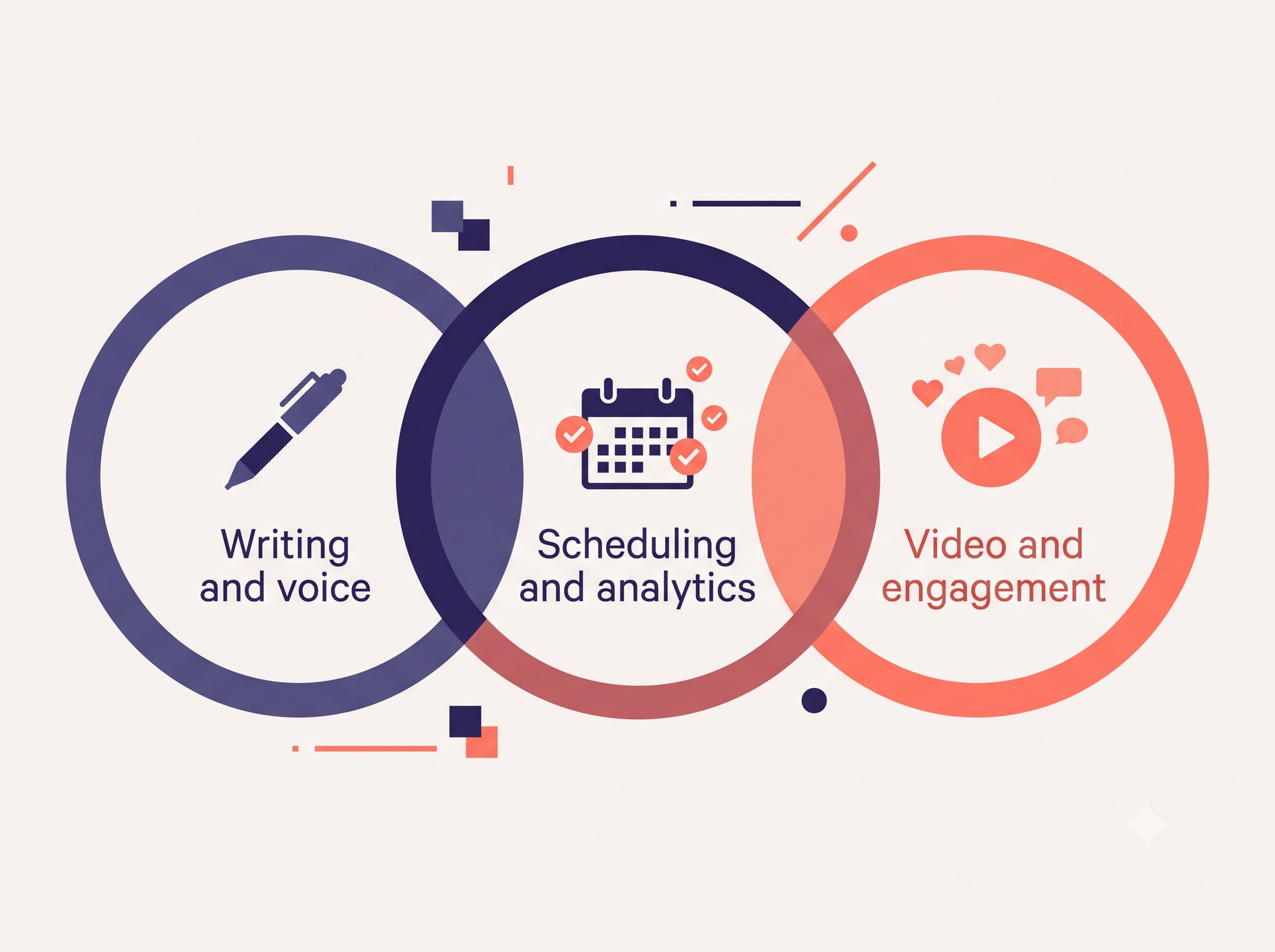
LinkedIn video is one of the fastest growing formats on the platform, and Opus Clip is one of the cleanest ways to feed it without hiring an editor. Upload a long-form video, a podcast, webinar, or talking head recording, and the AI finds the highest engagement moments, cuts them into short clips, adds word-by-word captions (useful for LinkedIn's sound-off feed), and scores each clip for predicted performance.
It's a repurposing tool, not a creation tool. You need existing footage, and there's no direct LinkedIn publishing on the lower tiers, so you export and upload manually.
Pricing: Free (60 minutes a month, watermarked). Starter $15/month (150 minutes, watermark-free). Pro $29/month (300 minutes, 1080p, virality score, multi-platform auto-posting). Annual billing brings Starter down to around $9/month and Pro to around $19/month.
Pros: Strong auto-clipping, word-by-word captions, virality scoring, speaker detection, brand kit.
Cons: Needs existing long-form video. No direct LinkedIn publishing on lower tiers. Credits are charged per source minute, not per clip, so long podcasts burn through the monthly allowance fast.
Compliance note: A video editing tool that never touches your LinkedIn account, no automation, no scraping. Fully compliant.
Best for: Founders, podcasters, and B2B marketers who already record long-form video and want LinkedIn-ready clips fast.
12. Descript: best for editing LinkedIn video by editing text
Descript turns video editing into document editing. It auto-transcribes your footage, and deleting a sentence in the transcript deletes the matching video. For anyone intimidated by a timeline editor, it's the lowest friction way to produce a polished, captioned LinkedIn video. Studio Sound cleans up home-office audio in one click, filler word removal tightens rambling takes, and auto-captions handle the sound-off feed.
It's an editing tool, not an auto-clipper. You need recorded footage, and for chopping long videos into shorts, Opus Clip is the better fit.
Pricing: Free (60 minutes a month, watermarked). Hobbyist $24/month ($16/month annual). Creator $35/month ($24/month annual, full AI features). Business $65/month ($50/month annual). Enterprise custom.
Pros: Transcript based editing, Studio Sound, accurate auto-captions, filler word removal, Overdub corrections for small voice fixes.
Cons: Requires recorded footage. Not an auto-clipper. AI features are capped on the free and Hobbyist tiers.
Compliance note: A standalone video editor with no LinkedIn integration, you export and upload yourself. Fully compliant.
Best for: Consultants and founders recording talking-head or interview video who want to edit it without learning a full video editor.
13. Engage AI: best for LinkedIn comments and engagement
Most "best LinkedIn AI tool" lists ignore the half of LinkedIn growth that isn't posting: commenting. Engage AI generates contextual, on-brand comments on the posts you care about. It reads the actual post before suggesting a reply, so the output reads like a real response instead of a template. It also monitors specific prospects and surfaces their new posts, which is useful for warming up target accounts before outreach.
It's engagement-only, no content creation, scheduling, or analytics, and it works less well on image or video-only posts where there's little text to analyze.
Pricing: A genuinely free tier is available with a generous monthly comment allowance and no card required. Paid plans start around $13 to $30 a month for higher volume, more languages, and scheduled comments.
Pros: Context-aware comments, tone selector, prospect monitoring, real free tier, Chrome extension that works inside the feed.
Cons: Engagement only, no writing, scheduling, or analytics. Weaker on media-only posts.
Compliance note: Engage AI suggests comments inside a Chrome extension. You review and post them yourself, which keeps it lower risk than auto-commenting bots. Avoid configuring it for fully automated, unattended commenting, that's the behavior LinkedIn restricts. Generating a comment you approve and post yourself is fine.
Best for: Founders and sales professionals who want to stay visible through strategic commenting without spending an hour a day in the feed.
Which tool should you pick
It comes down to two things: what you need, and how much account risk you're willing to carry.
If LinkedIn compliance is non-negotiable, your realistic options are CannerAI (voice learning plus LinkedIn and X), MagicPost (repurposing), Buffer (scheduling), AuthoredUp (editing), Opus Clip and Descript (video), Engage AI (manual-review commenting), and Copy.ai (writing across channels). None of these interact with LinkedIn's platform in ways that put your account at risk.
If you're willing to accept some compliance trade-offs for more features, Taplio has the most mature toolset and the largest training dataset. Supergrow is the best value with carousels and scheduling included. Kleo 2.0 is clean now, but the brand history is worth remembering.
For most individual creators, CannerAI at $19.99 a month beats anything else at that price, especially if you post to both LinkedIn and X. It's also the only tool here that pairs real voice learning with built in carousels and image generation on the entry plan.
For enterprise teams, Sprout Social and Hootsuite are the answer, particularly if you need HubSpot integration for CRM attribution or a full analytics suite with competitor tracking.
If your video already exists and you just need it cut into LinkedIn-ready clips, Opus Clip and Descript solve two different halves of that problem, clipping versus full editing, and many creators end up using both.
Best free option: For pure scheduling, Buffer's free plan (3 channels, 10 posts each) is the most generous. To trial an AI writer at no cost, CannerAI's Individual plan has a 7-day free trial with no charge during the trial, and MagicPost gives you 5 free posts to test repurposing.
Best LinkedIn AI tool by use case
| If you are a… | Best pick | Why | Starting price |
|---|---|---|---|
| Solo creator / founder | CannerAI | Voice-matched writing across LinkedIn + X, OAuth-safe, lowest entry price | $19.99/mo (free trial) |
| Solopreneur on a budget | Supergrow | AI writing, carousels, and scheduling in one LinkedIn-only tool | $19/mo |
| Salesperson / data-driven growth | Taplio | 500M-post training set + 3M-contact lead database (accepts compliance trade-offs) | $39/mo (AI at $65) |
| Writer who self-drafts | AuthoredUp | Best-in-class LinkedIn formatting, preview, and analytics — no AI | $19.95/mo |
| Content repurposer | MagicPost | Turns YouTube/blogs into LinkedIn posts in 7 languages | $27/mo |
| Multi-platform scheduler | Buffer | Reliable scheduling across 8+ networks on a real free plan | Free / $5 per channel |
| Marketing team (multi-channel) | Copy.ai | Workflow automation that fans one brief out to LinkedIn, X, and email | $49/mo |
| Agency / enterprise team | Hootsuite or Sprout Social | Approvals, multi-account, HubSpot CRM attribution, deep analytics | $99 / $199 per user |
Compliance-first shortlist (no account risk): CannerAI, AuthoredUp, MagicPost, Buffer, Copy.ai — none touch LinkedIn in ways that violate its Terms of Service.
FAQs
Can I get banned from LinkedIn for using AI tools?
Using AI to generate content that you post yourself is fine, LinkedIn has no issue with that. What gets accounts restricted is tools that automate actions on the platform: auto-liking, auto-commenting, auto-connecting, data scraping, and cookie-based extension tools. LinkedIn's behavioral detection has gotten noticeably more aggressive through 2025 and 2026. Shadow bans from these tools typically last two to six weeks, and repeated violations can lead to permanent restrictions.
Which LinkedIn automation tools have actually been banned?
Apollo.io and Seamless.ai were removed from LinkedIn in March 2025 over unauthorized data scraping. Kleo's original Chrome extension received a cease and desist for automated commenting and had to shut down and rebuild. Dux-Soup and similar profile-visiting extensions remain a recurring enforcement target. The pattern is consistent: tools that touch the platform directly through browser extensions keep running into trouble.
Can AI actually match my writing voice?
Generic AI writers tend to produce generic output. Tools with real voice learning, like CannerAI and Kleo, analyze your existing content to replicate your specific tone and vocabulary. Output still benefits from a light editing pass, but it lands much closer to your natural voice than cold-prompting ChatGPT every time. CannerAI's Personalized Memory also improves over time the more you use it.
Is it worth paying for a dedicated LinkedIn tool instead of ChatGPT?
ChatGPT can write LinkedIn posts, but it doesn't understand LinkedIn's algorithm, platform formatting, or what drives engagement specifically there. Dedicated tools are trained on LinkedIn-specific data. If LinkedIn is a real growth channel for you, a tool in the $15 to $20 a month range will save hours of prompt engineering and editing per week, and the time savings pay for it quickly.
What's the best free LinkedIn scheduling tool?
Buffer's free plan covers 3 channels with 10 scheduled posts each, which handles most individual use cases. MagicPost offers 5 free posts a month if you need repurposing. Engage AI has a genuinely free tier for comments. For AI voice matching and real analytics, the paid options starting around $19.99 a month are worth the investment.
What are the newest LinkedIn AI features in 2026?
LinkedIn's own 2026 changes matter as much as the tools built on top of them. The platform has been moving to a single foundation ranking model called 360Brew, a large language model that reads the meaning of your posts and your profile rather than just counting clicks and hashtags. Practically, that rewards consistent, niche expertise and penalizes engagement bait and generic hooks. The tools in this guide help you produce that kind of content, they don't replace knowing your subject.
Can I stack multiple tools together?
Yes, and a lot of serious creators do. A common setup is CannerAI or Supergrow for content generation, AuthoredUp for formatting, Opus Clip or Descript for video clips, and Engage AI for commenting. The main thing to check before combining tools is that each one is LinkedIn compliant. One tool in your stack that violates LinkedIn's Terms of Service can affect your whole account, not just that tool's functionality.
If you post to both LinkedIn and X and want a tool that writes in your voice without risking your account, try CannerAI free trial and see your first post in minutes.




Member discussion